Up and running in minutes.
Pick what you're setting up. We'll show you only the steps that matter — nothing else.
Your private trading-ops console. Plug in the AI you already have — no API key needed.
Stuck in a losing stock? See your three ways out, in dollars — a paid web tool, nothing to install.
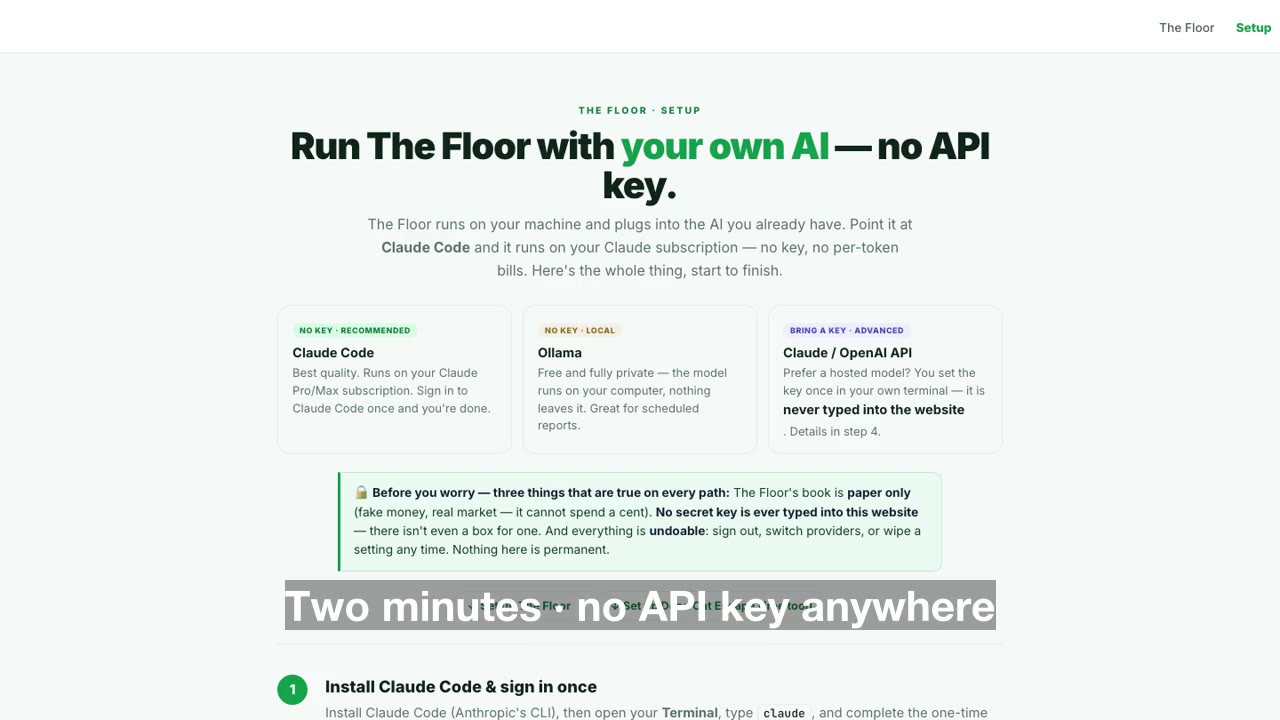
The cloud desk at floor.deadcatfound.org doesn't run a model server-side — it queues AI jobs, and the AI on your machine works them on the subscription you already pay for. Settings → Your AI walks you through it with live checkmarks; here's the whole flow:
Have an AI on your machine
Claude Code, Codex CLI, Gemini CLI, or Ollama — any one of them, signed in. If you already use one, this step is done.
Generate your desk token
In the cloud Floor: Settings → Your AI → Generate token. It's shown once — copy it. This token is how your machine proves it's your desk it's working for.
Install the kit — one command
Connect — and watch the status flip green
In Claude Code: run /floor-setup (paste the token), then /floor-work to work your queue. Codex / Gemini / Ollama: ./floor-kit/floor-runner.sh --watch. Back in the browser, Settings now reads “Runner connected — checked in 10s ago.”
How it behaves: jobs your desk creates (agent runs, scheduled reports) wait in the queue until your runner picks them up — nothing is lost if your machine is off. Want schedules to run server-side while you're away? That's the one case for an API key: Settings → Your AI → Advanced — always-on.
Best quality. Runs on your Claude Pro/Max subscription — sign in once, done.
Free and fully private — the model runs on your computer, nothing leaves it.
Hosted model, or jobs that run in the cloud when your machine is off.
Install Claude Code & sign in once
Install Claude Code (Anthropic's CLI), open Terminal, type claude, and finish the one-time sign-in. That sign-in is what makes everything keyless.
In The Floor: Settings → AI model → “Claude Code”
Where's your Floor? These provider steps are for The Floor running on your own machine (download + install guide). Using the cloud Floor in your browser from your Account page? Follow the 4-step runner setup above instead.
Open Settings, pick provider Claude Code (no API key). The key and URL fields disappear — there's nothing to paste. Leave the model on sonnet.
No API key field. No base URL. It rides on the sign-in from step 1.
Hit “Test connection”
A few seconds later you get the green check — working, with no key anywhere.
Put it to work — in plain English
Schedule → New, keep AI assist on, and just say what you want: “every weekday at 9am summarize overnight futures and news.” It becomes a real recurring job, and every run writes a clean report you can read or export.
That's the whole setup. From here, build strategies, agents, and your paper book — every number simulated. Next: connect a real paper broker →
Install Ollama & pull a model
Install Ollama from ollama.com, then pull a model. No sign-in, no key — fully private, runs on your machine.
llama3.1 is the model The Floor looks for by default — pull that one and Test connection works first try.
In The Floor: Settings → AI model → “Ollama (local)”
Pick provider Ollama (local) — no key field, it talks to the model on your machine.
Test, then schedule
Hit Test connection for the green check, then create jobs in plain English under Schedule → New. Local models are great for scheduled reports.
Tip: smaller models are faster; bigger ones write better briefs. You can switch any time in Settings.
Get an API key
Create a key at console.anthropic.com (Claude) or platform.openai.com (GPT). Treat it like a password — and here's the rule that keeps you safe: it never gets typed into a website — the local Floor deliberately has no key box.
Set the key in your terminal — not in a web page
The local Floor deliberately has no key box. (The cloud Floor's Advanced always-on mode is the one documented exception.) Set ANTHROPIC_API_KEY (or OPENAI_API_KEY) in your environment or in ~/.floor/config, and The Floor reads it locally. Then in Settings → AI model choose Anthropic (Claude) or OpenAI (GPT) — the panel shows a note pointing at exactly this step.
Test, then schedule
Test connection → green check → build jobs under Schedule → New in plain English.
Heads up: API usage is pay-per-token. The keyless Claude Code path costs nothing beyond the subscription you already have.
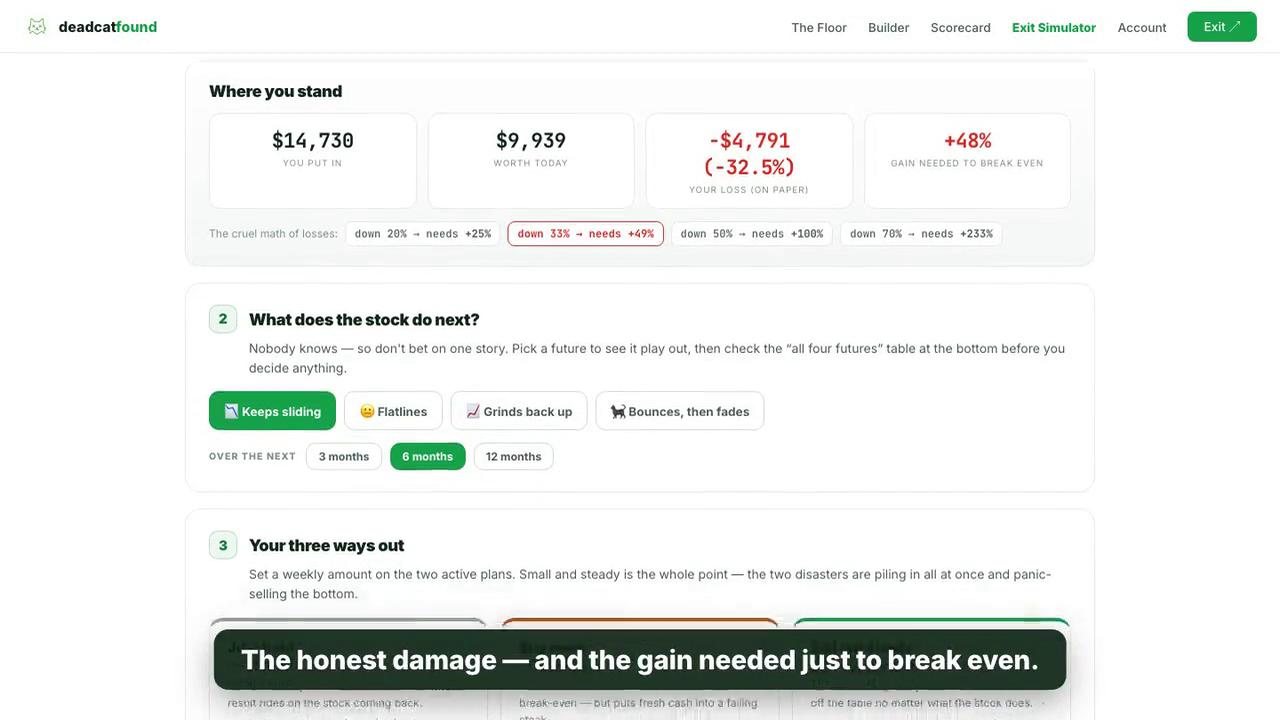
🐈⬛ Dead Cat Escape grew up — it's the Exit Simulator now. Same honest idea (your three ways out of a losing stock, in dollars), rebuilt as a paid web tool: nothing to download, nothing to install, no Python. Your shares and cost stay in your browser; it only sends a ticker out to fetch a price.
It's in final testing
We don't ship numbers we haven't beaten up first. The page is live at premium.deadcatfound.org/simulator with the full 50-second walkthrough above — the simulator itself unlocks the moment testing clears.
Included with your access
No extra cost, no separate signup — it's part of free access, alongside The Floor, the Builder, and the courses. Members see it unlock on the page the day it clears.
Had the old downloaded version?
The old local zip is retired and no longer maintained. Anything it did, the Exit Simulator does with live prices and none of the setup — this page will update the day it opens.